Skip to main content.

Step 4: Download Letter of Attendance

Once your service is complete, you can download or print your attendance letter (also known as proof of service) directly through the eResponse Portal — anytime, from your computer, phone, or tablet.
1
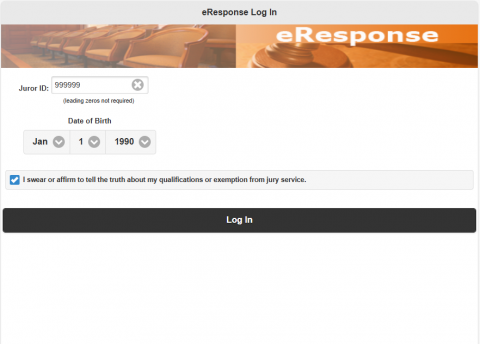
Log In Visit the eResponse Portal and enter your juror ID and date of birth. If prompted, complete the online questionnaire before proceeding.
Image
eResponse Portal1
2
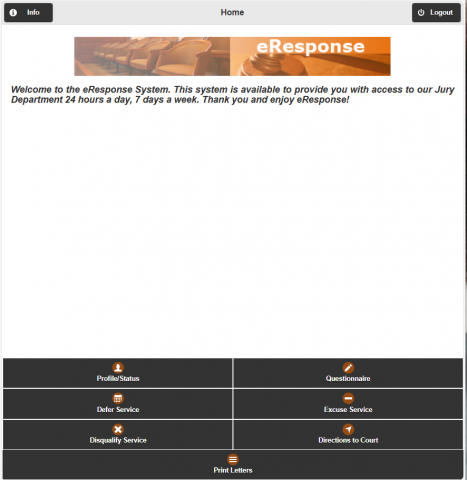
Click "Print Letters" Once logged in, locate and click the "Print Letters" button on your main dashboard navigation.
Image
eResponse Portal2
3
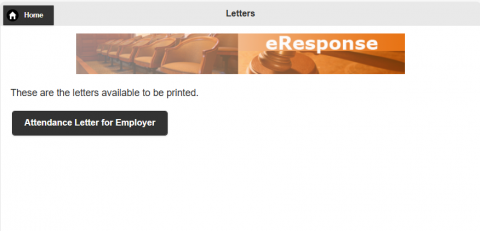
Select "Attendance Letter for Employer" Choose the "Attendance Letter for Employer" option to generate your proof of service. This document includes your specific dates of service.
Image
eResponse Portal3
4
Print or Save The letter will open in a new tab. You can now print the letter directly or save it as a PDF for your records or employer.
Important Notice
  • Ensure your browser's pop-up blocker is disabled before clicking "Print Letters."
  • Letters are typically available 24–48 hours after your final day of service.
  • If you served on multiple non-consecutive days, ensure all dates appear on the final summary.
Need Assistance? If your letter is not showing the correct dates or you encounter errors in the portal. Contact Jury Office